
Google Shared Drives is a powerful collaboration tool for teams within an organization. Unlike files in My Drive, Shared Drives don’t have a single owner — content belongs to the team. This makes them easy to distinguish from My Drive or from the Shared with Me folder.
Crescendo integrates seamlessly with Google Shared Drives using a simple setup process.
Requirements:
- Valid Google Workspace account
- Crescendo license
Shared Drive configuration
- Step 1: Open your Shared Drives
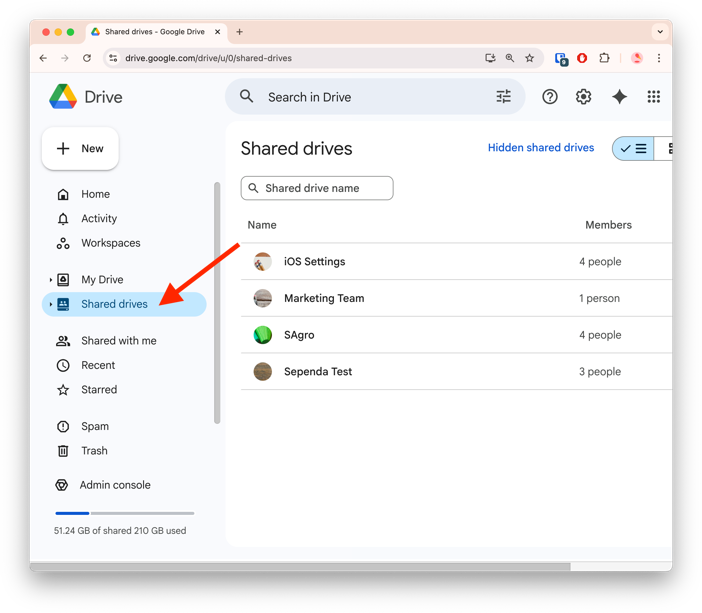
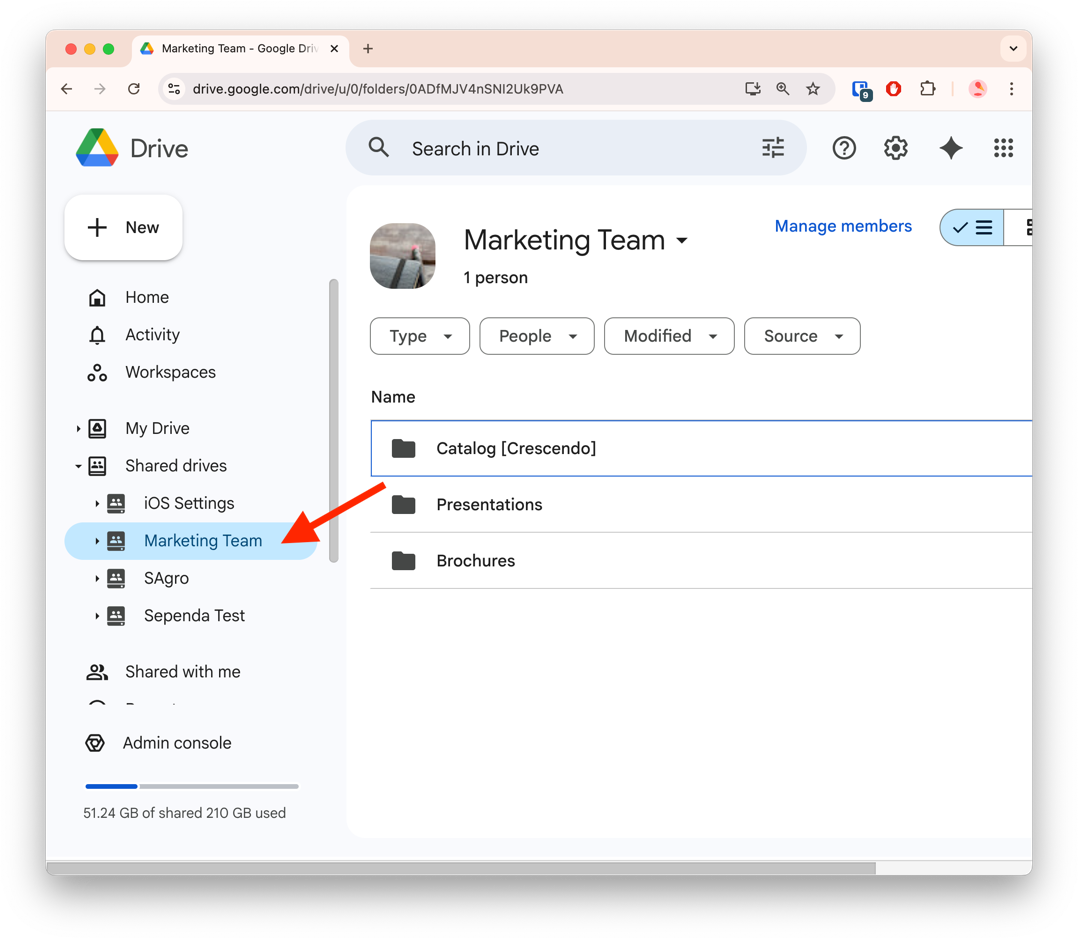
- Step 2: Identify and launch the Shared Drive you want to connect with Crescendo
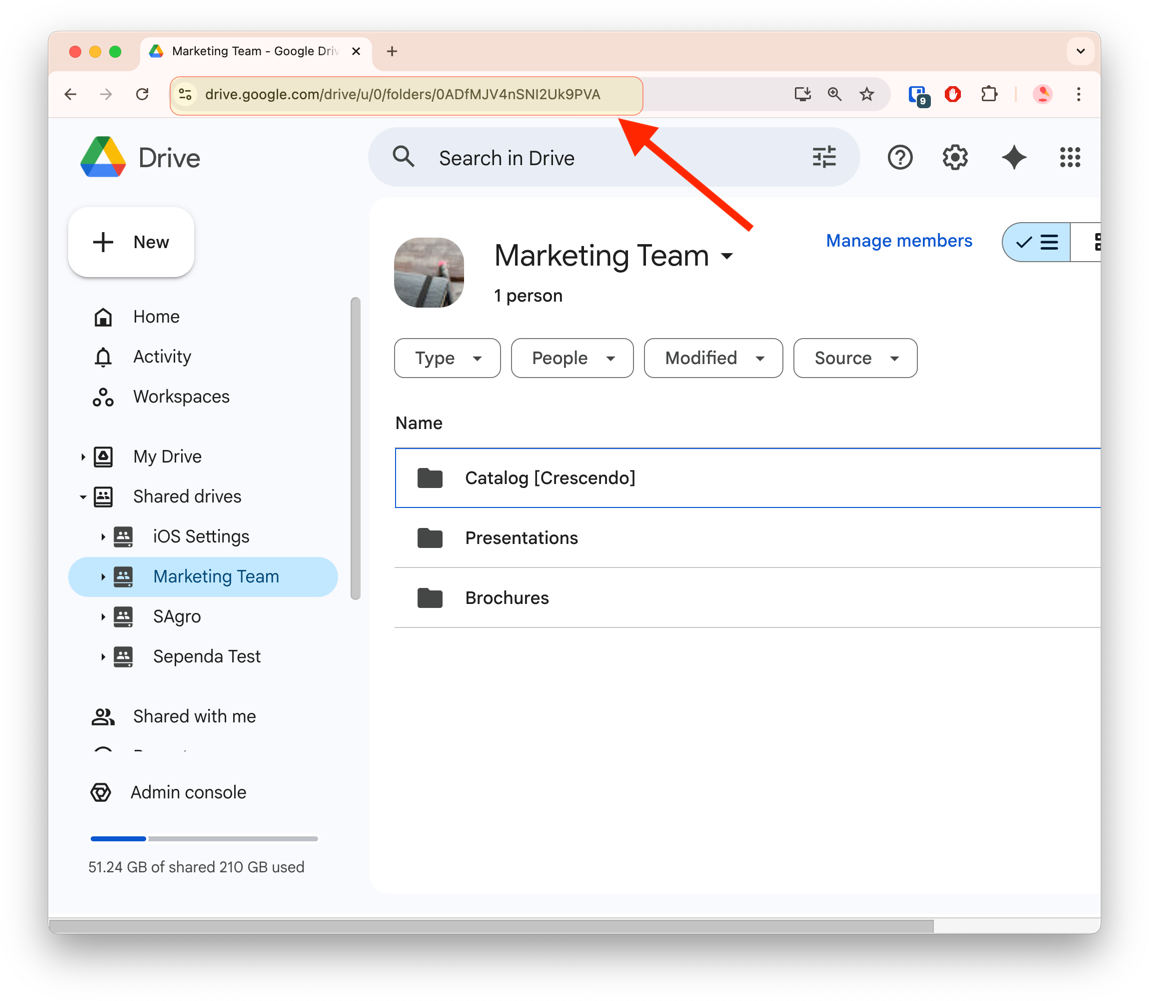
- Step 3: Navigate to the address of the page and copy the entire URL. The drive ID is the necessary component. This ID is found in the url.
- Step 4: Send the Drive ID to Crescendo Support
A Crescendo support admin will complete the configuration on the backend and confirm it with you soon after. The setup is instant once the Drive ID is received.
You're all set!
Your select Shared Drive is not configured for Crescendo setup. Proceed to created your Crescendo Cases and add content as needed. Ensure all required users have access to the Shared Drive.
NB: When a Shared Drive is configured, Crescendo will not sync from your MyDrive nor Shared with Me folders.


