Typically, users share files as email attachments. However, in some cases it is more practical to share a direct link to a file stored in the cloud i.e. when the file is too large to attach to an email.
Currently, only Google Drive and Box support link sharing without extensive platform configuration. Reach out to us if you'd like to use this option on a different platform.
How to Configure Link Sharing
On Box no configuration is required.
On Google Drive to enable link sharing, a content admin must:
🔹 Locate the file or folder in Google Drive
🔹 Click Share
🔹 Set General access to “Anyone with the link”
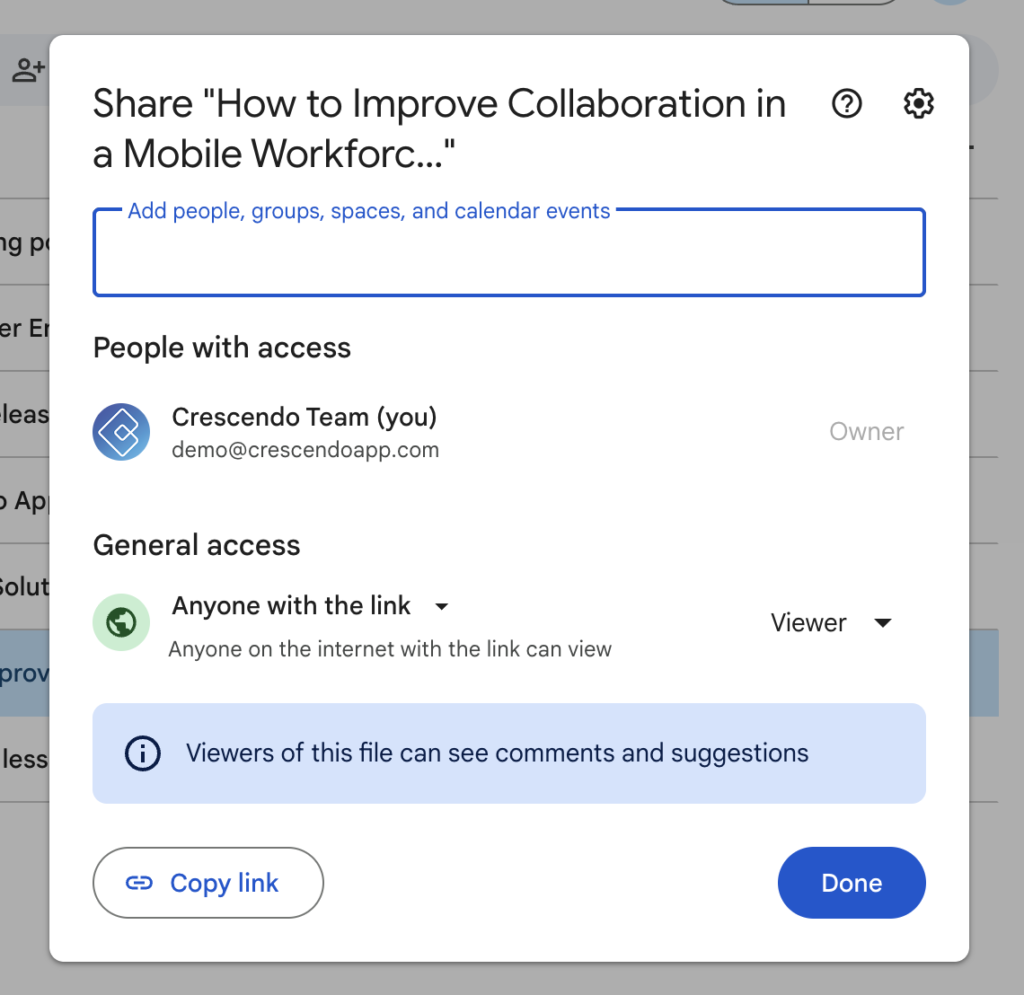
⚠️ Note: Setting this option on a folder applies it to all subfolders and files within it.
If you want all files in a given case to be shareable via link, set this option on the main case folder and its contents will inherit the setting automatically.
How to Share a File
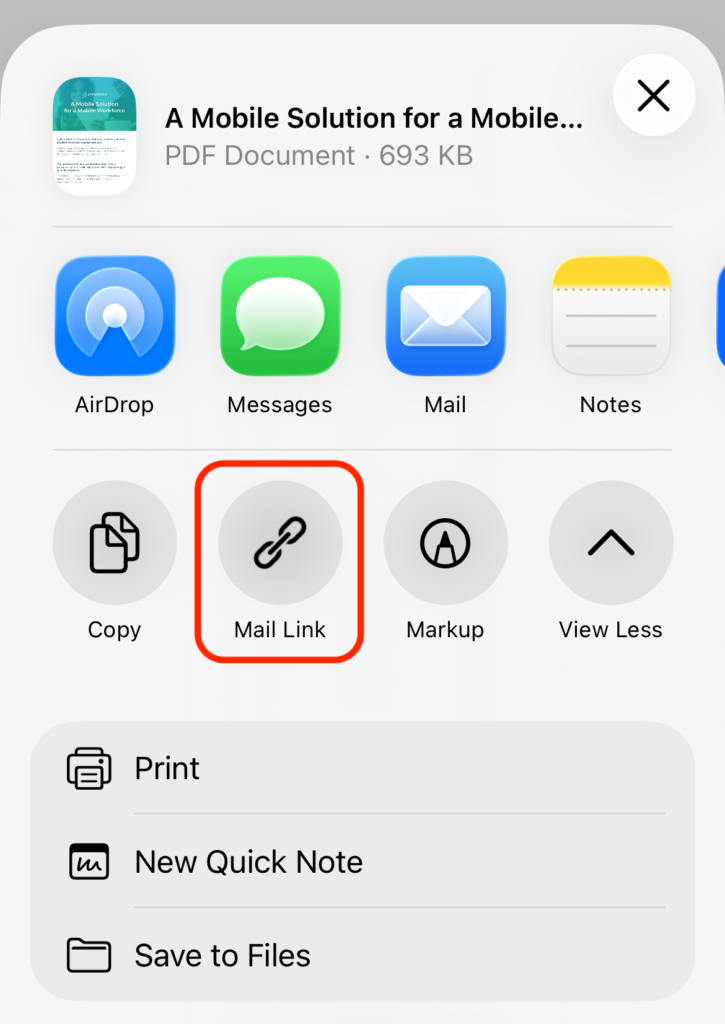
🔹 Tap the Share button
🔹 Select Mail Link
🔹 A new email will open with the file link included
If a file does not have “Anyone with the link” enabled, users will see a pop-up notification explaining that link sharing is not allowed by the administrator.
Other considerations
🔹 Link sharing option is visible by default starting with version 4.8. If you would like to fully hide this feature for your team, please contact us.
🔹 Currently (4.8 version) sharing links to multiple files at once is not enabled. It will be added to our next release.
🔹 Crescendo allows you to also share a link file as QR code. To learn more and activate this option, please reach out to our support team.